NVIDIA Kit · OpenUSD · Automation
Pose Animation
Create and play multi-robot pose animations in NVIDIA USD Composer using timeline clips, parallel tracks and optional attach/detach events.
1.0.0Auf AnfrageAutomation
Extension anfragen →
Was diese Extension löst
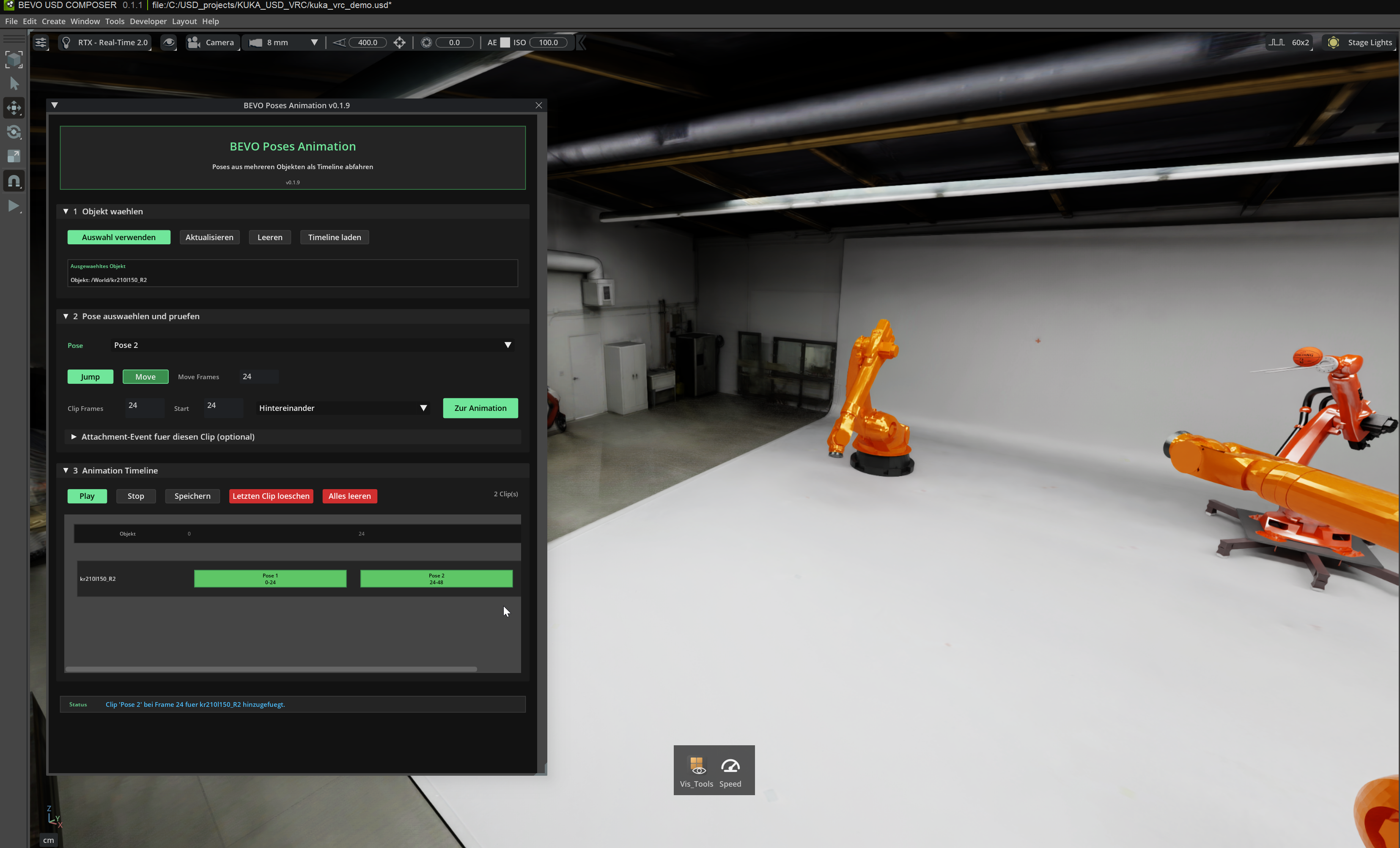
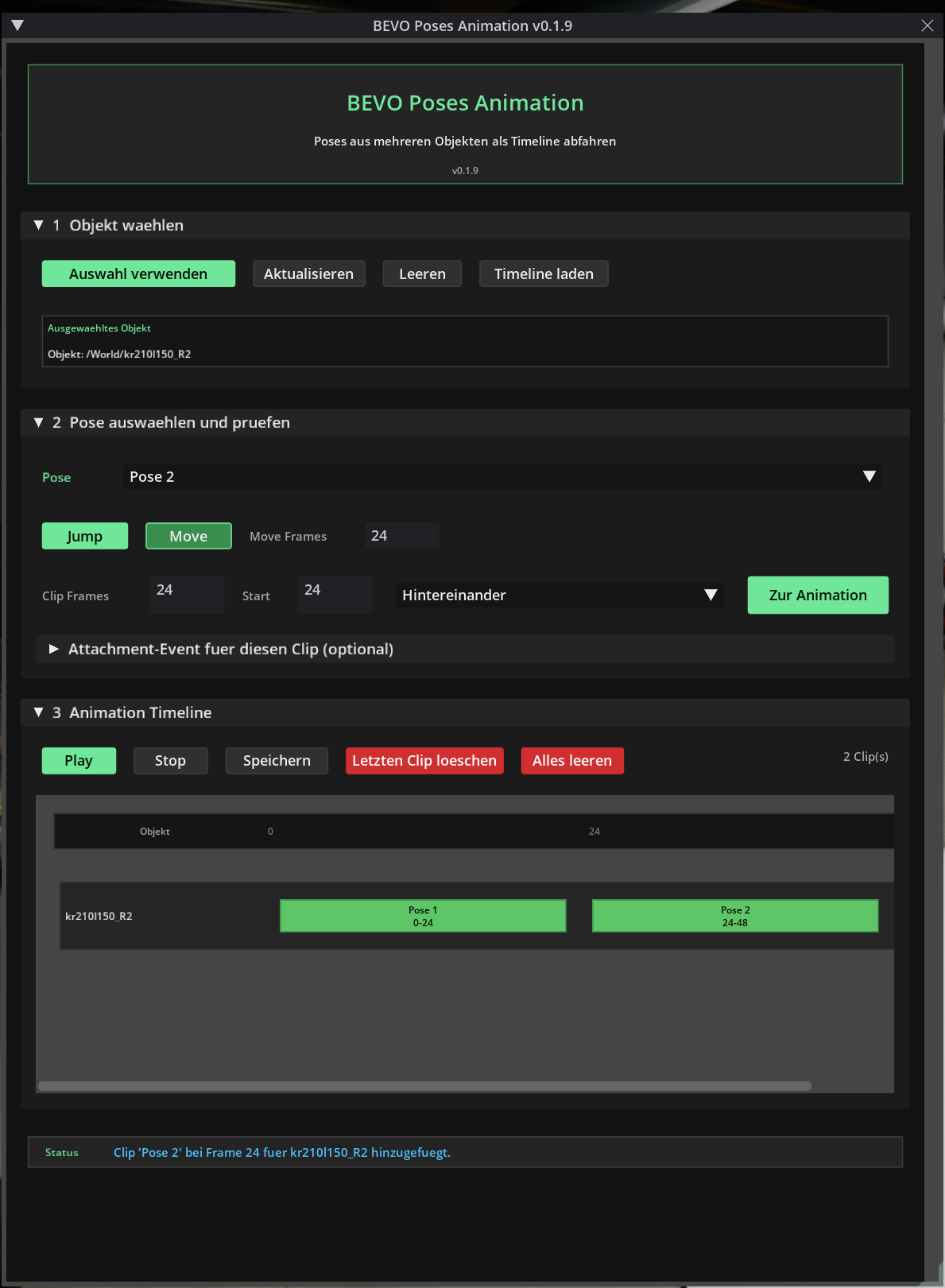
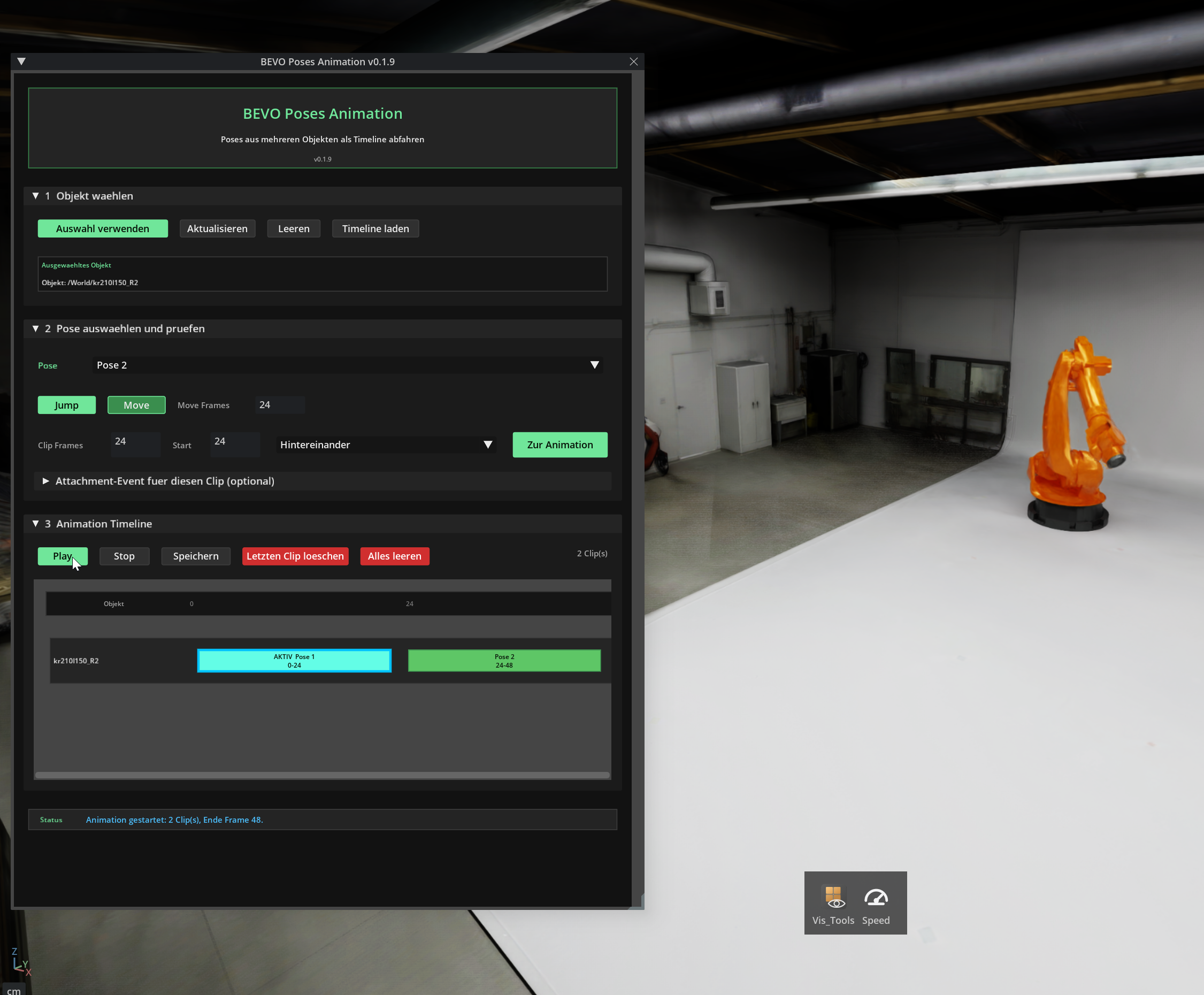
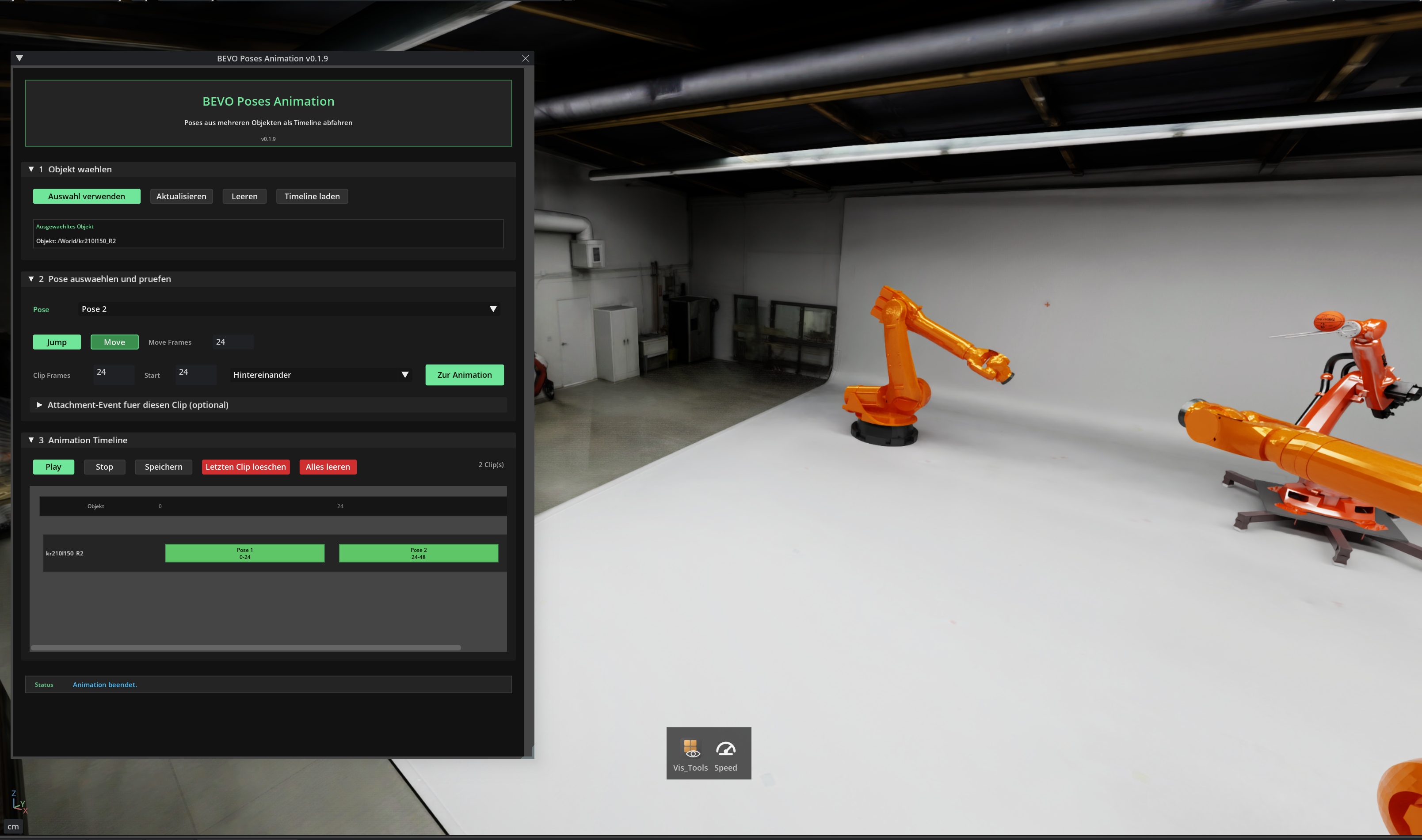
Creating individual robot poses is useful, but building complete motion sequences with multiple robots or objects manually inside NVIDIA USD Composer is time-consuming. BEVO Poses Animation turns saved robot poses into timeline clips that can be arranged sequentially or in parallel. Multiple robot tracks can be combined into one animation, including optional attach and detach events for pick-and-place workflows.
Funktionen
- Load existing robot poses from BEVO Pose Editor
- Preview poses with Jump or Move
- Convert saved poses into animation clips
- Arrange clips sequentially or in parallel
- Create separate timeline tracks for multiple robots
- Configure clip start frame and duration
- Play complete multi-robot motion sequences
- Add optional Attach events to animation clips
- Add optional Detach events to animation clips
- Create pick-and-place sequences with automatic object attachment
- Remove clips with or without closing timeline gaps
- Save and reload animation timelines directly in the USD Stage
Installation
load extension
Screenshots
Häufige Fragen
- Was macht Pose Animation?
- Create and play multi-robot pose animations in NVIDIA USD Composer using timeline clips, parallel tracks and optional attach/detach events. Pose Animation ist eine Automation-Extension auf Basis von NVIDIA Kit und OpenUSD.
- Wird für Pose Animation USD Composer benötigt?
- Die technische Basis ist NVIDIA Kit und OpenUSD. Getestet und demonstriert wird Pose Animation in USD Composer. Die Einbindung in andere Kit-basierte Anwendungen hängt von der jeweiligen Kit-Version und den benötigten Erweiterungen ab.
- Welche Voraussetzungen hat Pose Animation?
- Pose Animation 1.0.0 — NVIDIA Kit 110 · getestet in USD Composer. Bereitgestellt von BV DigitalConsulting. Zusätzlich benötigt: Keine über NVIDIA Kit und OpenUSD hinaus.
- Was kostet Pose Animation?
- Der Preis wird auf Anfrage genannt. Die Extension wird über eine Anfrage im USD Extension Hub bezogen.
- Wie wird Pose Animation installiert?
- load extension